
Data imports
Keep Excel. Lose the reconciliation work.
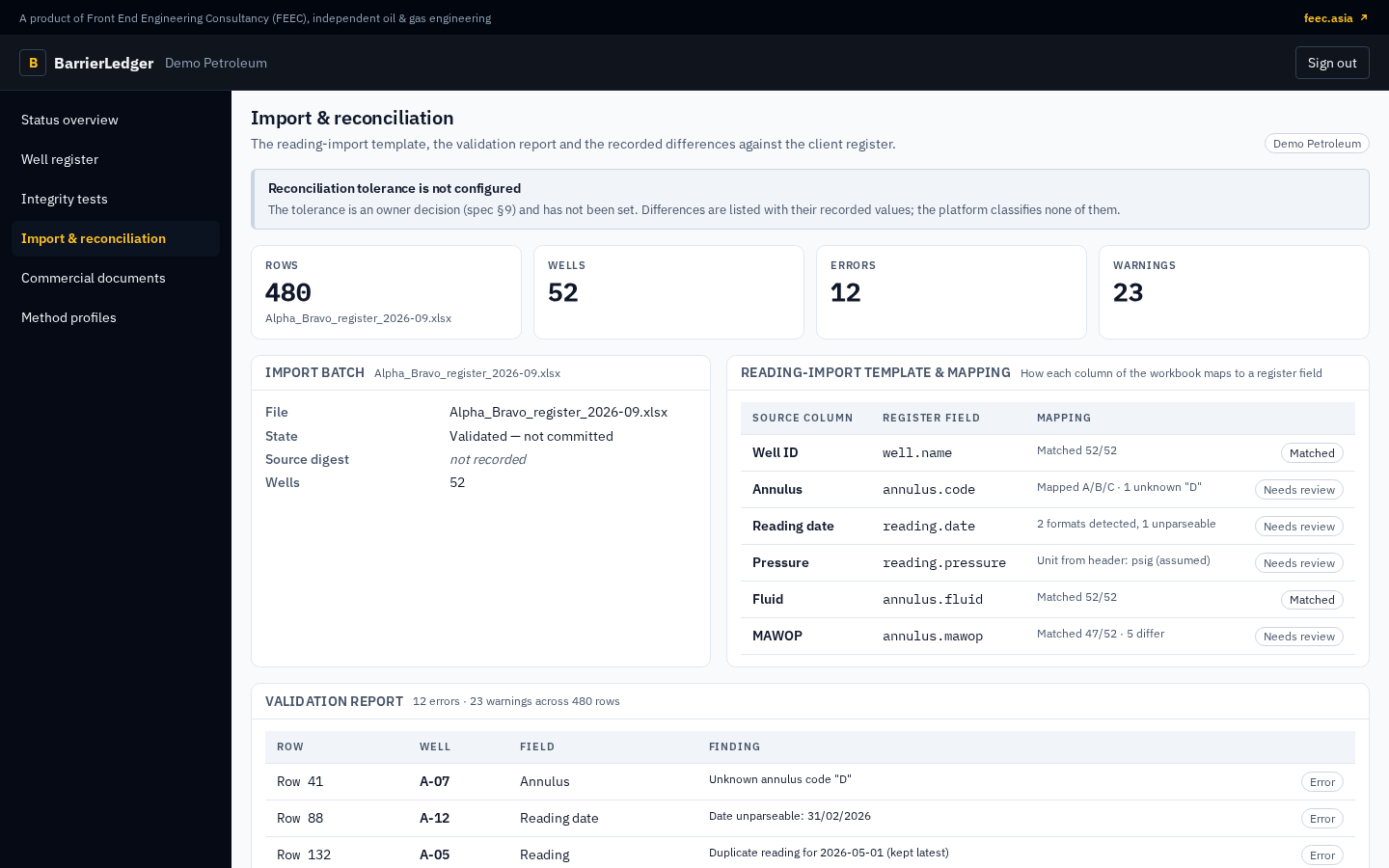
Start with the files your integrity team already maintains. BarrierLedger maps and validates them row by row, reconciles them against your own figures, and shows every difference before anything is committed.
The import path
Preview first. Commit deliberately.
Validation is visible at every step, so bad rows and mapping differences never disappear into the register.
Step 1
Start from your own register
Upload the CSV or Excel workbook your team already maintains, or a template generated to mirror it — wells, strings, annuli, limits, readings and test history.
Step 2
Map and validate
Columns are mapped once and remembered. Every row is checked for structure, units, ranges and duplicates, with a coded finding against each problem.
Step 3
Reconcile against your figures
Statuses and limits are compared with the values in your own register, and every difference is listed with its reason before anything is saved.
Step 4
Commit deliberately
Commit the accepted rows when the mapping and validation are right. The import records its outcome, its source-file hash and who ran it.
Paste from Excel
The wellbore editor accepts deviation surveys, casing and tubing tallies and cement tops pasted straight from a spreadsheet.
Macros never run
Workbooks are parsed as data in an isolated worker. Nothing in an uploaded file is executed.
Excel out, too
Register, readings and tests export back to Excel, and a full data export is available on every plan.
File-based by design
Bring a sample
See the import against your register.
We will walk through the import on the fictional tenant, then agree the data scope and hosting and run it on a sample of your own register.